Repair shop invoicing. From job to payment.
Turn any approved job into a professional invoice in a few clicks. Review the repair details, send the invoice and follow the payment status from Katalyst Pay.

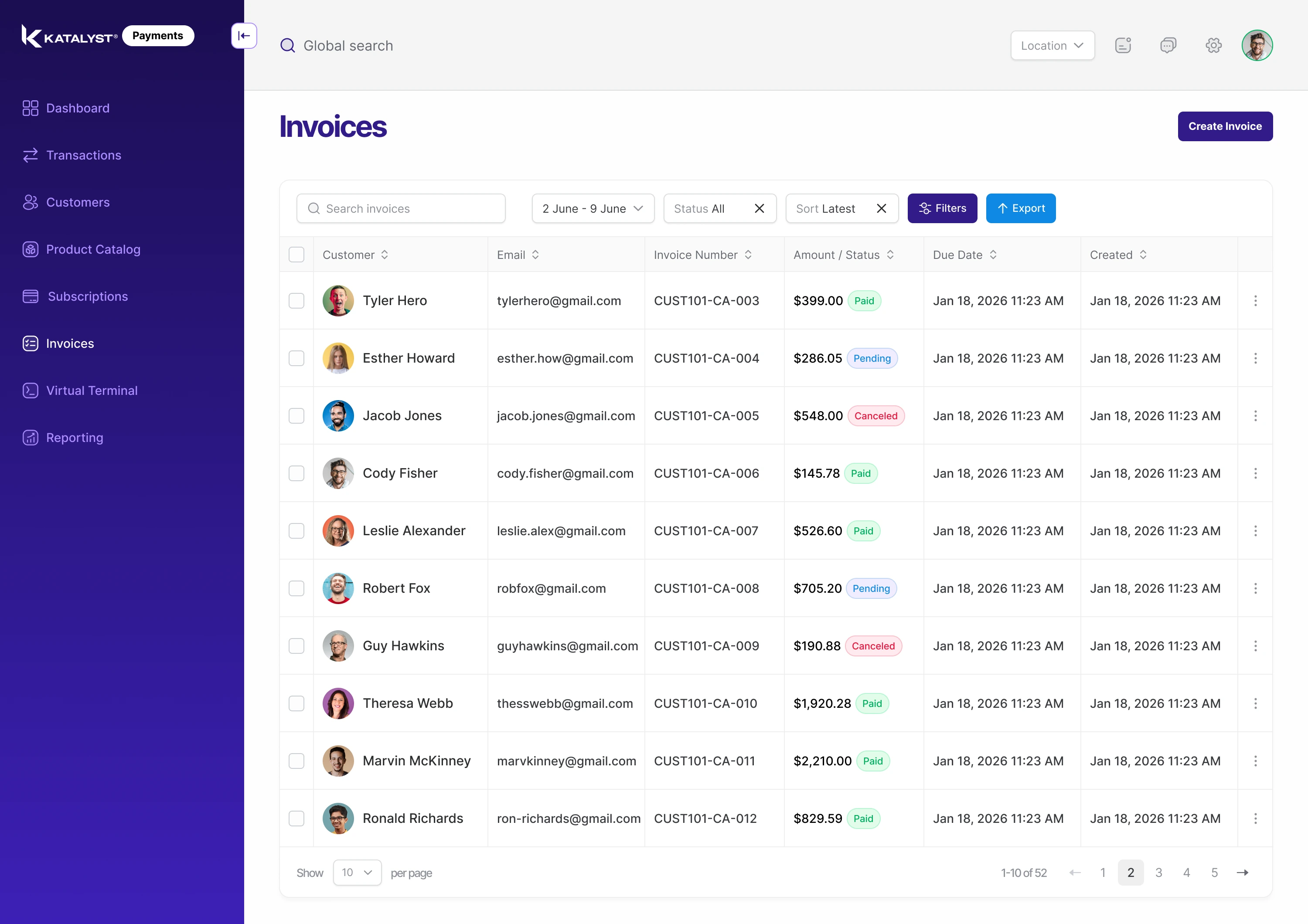

Track
See when each one is viewed and paid.

Send
Delivered by text or email in a click.

Create
Invoices built from approved estimates.
Create it, send it,
get paid.
Katalyst Invoicing builds the invoice from the job itself, so nothing is retyped and nothing is left off. Send it in a click, track when it is viewed and paid, and let the payment record itself on the job and the customer profile.
Create it, send it, get paid.
Katalyst Invoicing builds the invoice from the job itself, so nothing is retyped and nothing is left off. Send it in a click, track when it is viewed and paid, and let the payment record itself on the job and the customer profile.
Track
See when each one is viewed and paid.
Send
Delivered by text or email in a click.
Create
Invoices built from approved estimates.



Name
Name
Quantity
1

Price per unit
$300.56

Show tax, discount, date
Total: 300.56
Amount only

Quantity
Hours

Add Product
Customer (optional)
Select customer

Template


USD
Create Invoice

1
Create
No retyping.
No missed lines.
Line items, labor, parts and totals come straight from the approved estimate.
Added repairs found during the job join
the invoice automatically, so the final bill matches the work that was done.
No retyping. No missed lines.
Line items, labor, parts and totals come straight from the approved estimate.
Added repairs found during the job join
the invoice automatically, so the final bill matches the work that was done.
Name
Name
Quantity
1
Price per unit
$300.56
Show tax, discount, date
Total: 300.56
Amount only
Quantity
Hours
Add Product
Customer (optional)
Select customer
Template
USD
Create Invoice
Invoice

Guy Hawkins
Date
Dec 15, 2026
State
Paid
Payment in
$3,296.89 USD
Transaction ID
52R285091C391203U
Total
$3,296.89 USD
Invoice
Guy Hawkins
Date
Dec 15, 2026
State
Viewed
Payment in
$2,378.19 USD
Transaction ID
52G780847D873830L
Total
$2,378.19 USD
Invoice
Guy Hawkins
Date
Dec 15, 2026
State
Sent
Payment in
$1,749.49 USD
Transaction ID
52T782356H829161K
Total
$1,749.49 USD
Invoice
Guy Hawkins
Date
Dec 15, 2026
State
Drafted
Payment in
$1,545.24 USD
Transaction ID
52S058613F793552E
Total
$1,545.24 USD
2
Track
Know where every invoice stands.
See which invoices are drafted, sent, viewed, paid or overdue in one list.
When a customer opens or pays an invoice, you know right away, so your team follows up only where it is needed.
Know where every invoice stands.
See which invoices are drafted, sent, viewed, paid or overdue in one list.
When a customer opens or pays an invoice, you know right away, so your team follows up only where it is needed.
Invoice
Guy Hawkins
Date
Dec 15, 2026
State
Paid
Payment in
$3,296.89 USD
Transaction ID
52R285091C391203U
Total
$3,296.89 USD
Invoice
Guy Hawkins
Date
Dec 15, 2026
State
Viewed
Payment in
$2,378.19 USD
Transaction ID
52G780847D873830L
Total
$2,378.19 USD
Invoice
Guy Hawkins
Date
Dec 15, 2026
State
Sent
Payment in
$1,749.49 USD
Transaction ID
52T782356H829161K
Total
$1,749.49 USD
Invoice
Guy Hawkins
Date
Dec 15, 2026
State
Drafted
Payment in
$1,545.24 USD
Transaction ID
52S058613F793552E
Total
$1,545.24 USD

3
Collect
Let customers
pay their way.
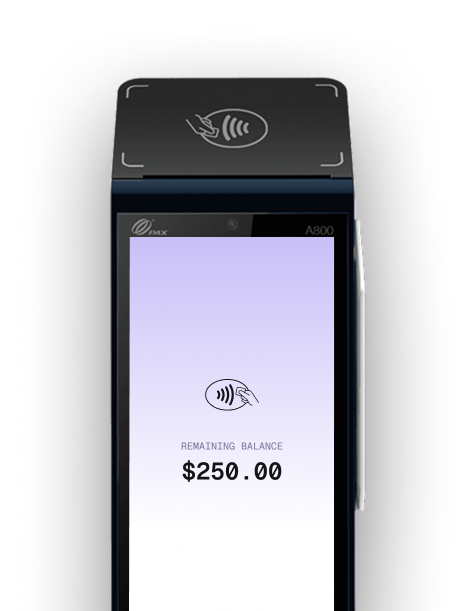
Every invoice can be paid by Quickpay link, in the Fusion AI app or on a Katalyst terminal at your counter.
The payment matches the invoice automatically, online or offline, so there is nothing to reconcile by hand.
Let customers pay their way.
Every invoice can be paid by Quickpay link, in the Fusion AI app or on a Katalyst terminal at your counter.
The payment matches the invoice automatically, online or offline, so there is nothing to reconcile by hand.
Record
The payment is saved to the job, the customer profile and your books.

Pay
The customer pays by link, in the app or at the counter.
Invoice
Katalyst builds the invoice from the job, with photos attached.
Approve
The customer approves the estimate and the work gets done.
How It Works
From finished repair to money in your books.
From finished repair to money in your books.
Approve
The customer approves the estimate and the work gets done.
Invoice
Katalyst builds the invoice from the job, with photos attached.
Pay
The customer pays by link, in the app or at the counter.
Record
The payment is saved to the job, the customer profile and your books.


Fusion AI caught damage on cars we would have written up short. We're recovering a lot more per month, and customers understand why because they can see the photos.
01 / 03
Looking for a quick answer? Start here.
Can I create an invoice from an estimate?

Create an invoice using the approved repair details and line items.
What happens when extra damage is found during the repair?
Review the new repair details and update the invoice as your job changes.
How do customers pay an invoice?
Send a payment link or collect payment through a Katalyst terminal.
Can I see which invoices are unpaid?
Invoice status helps your team follow draft, sent, viewed and paid invoices.
Does it sync with QuickBooks?
QuickBooks integration connects invoice and payment activity with your books.
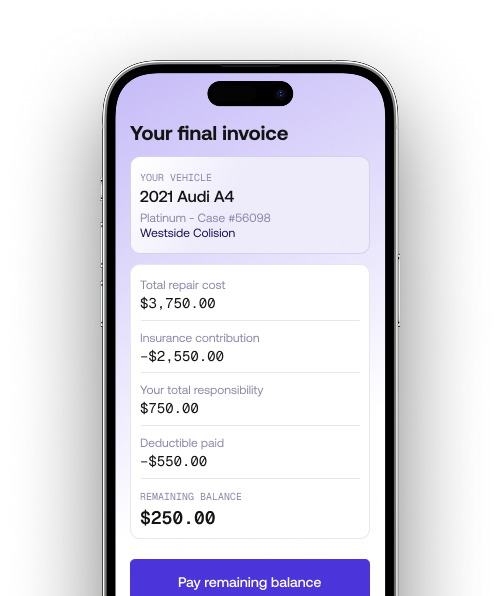
Can I invoice an insurer and a customer on the same job?
Yes. A single job can show the insurer’s portion and the customer’s portion separately, so everyone knows what they owe. The customer can pay their share, such as an insurance fee or deductible, by link, in the app or at the counter, and each payment is recorded against the right party on the job.
Can I add my logo and terms to my invoices?
Review your invoice details and available branding options with the team during your demo.