From Invoice to Paid: Connected Payments with Katalyst Pay
Katalyst Pay connects invoicing, payment links, terminals, customer payment history and QuickBooks Online to simplify collecting repair payments.
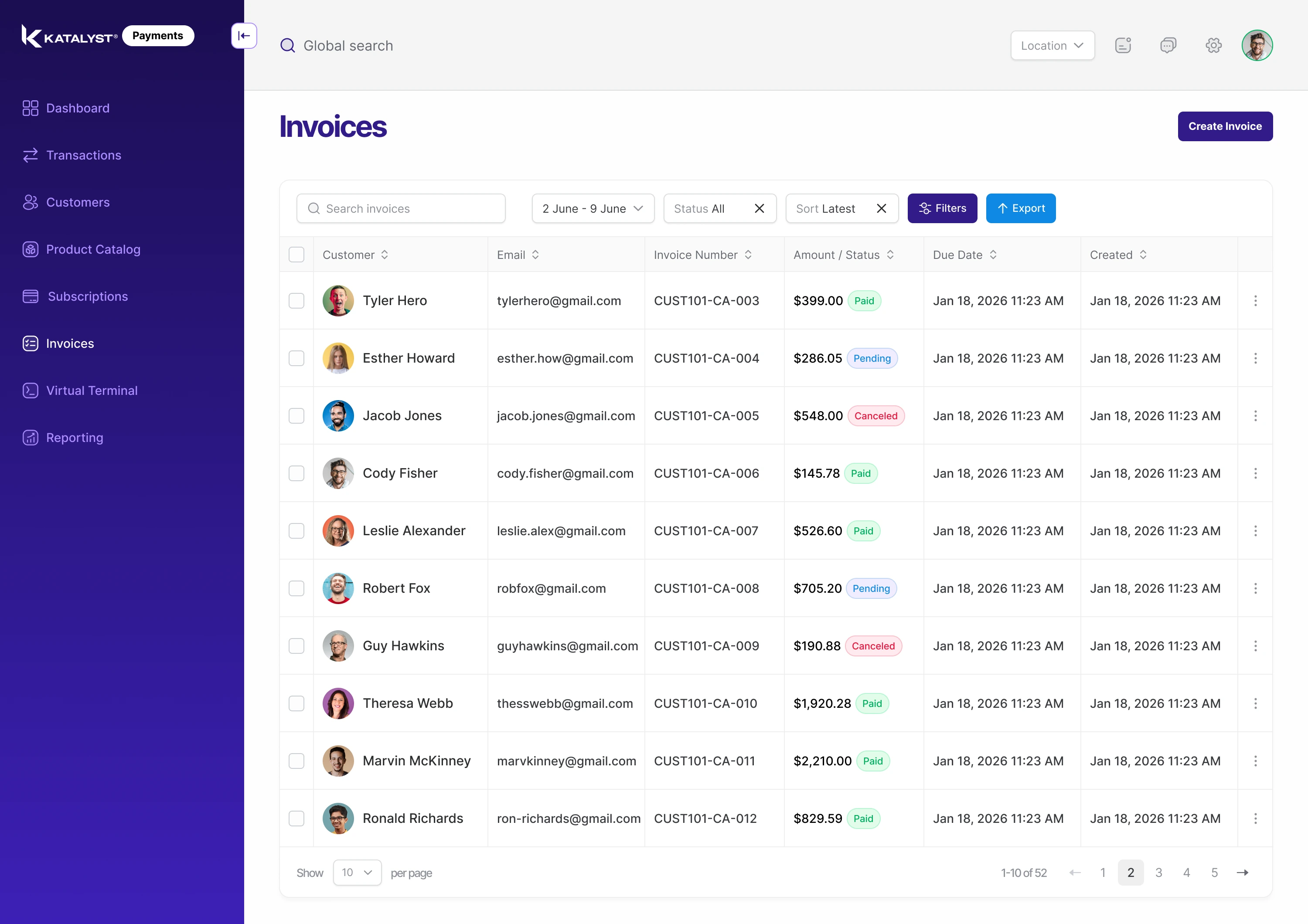
A completed repair should lead naturally to a completed payment. Katalyst Pay brings invoicing, payment collection and customer payment records into one platform, so the front desk can move from explaining a balance to collecting it without treating each step as a separate job.
For a collision repair shop, that connection matters throughout the customer relationship. A payment link reaches a customer away from the counter. A terminal supports payment in the shop. The customer record brings invoices and payment history back into view when someone calls with a question. Katalyst connects those moments around the same payment workflow.
An invoice connected to the repair
Katalyst Invoicing gives the shop a place to create and send professional invoices and follow their payment status. Invoice and payment activity remain connected, making it easier for staff to see what has been paid and which invoices are still open.
That visibility changes the conversation at the desk. Instead of looking through separate records to answer a balance question, the team can review the invoice alongside the customer's payment activity. The result is a clearer handoff between the people finishing the repair and the people collecting payment.
Payment links that bring the checkout to the customer
Quickpay Links let the shop send an invoice payment link by text or email. The customer can pay the full invoice through that link, and the invoice updates automatically to paid when payment is completed. Reminders are available when the invoice still needs attention.
The link keeps payment attached to the invoice rather than turning a follow-up into an unrelated request for money. It gives customers a direct way to pay and gives the shop a record it can follow. Quickpay Links are for full-invoice payments.
In-shop payments within the same platform
For customers paying in person, Katalyst supports payment terminals and devices, as well as taking payments from a computer. The shop can offer the payment experience that fits the customer while keeping payment activity within Katalyst Pay.
Remote payment links and in-shop collection serve different moments in the same relationship. A customer may receive an invoice before arriving, ask a question at pickup, and pay at the counter. Keeping the invoice and payment records accessible helps the team stay with that conversation.
Customer payment history with the context staff need
Pay Customer Management brings invoices, payment history and open invoices together. Staff can review the customer's payment position without rebuilding it from separate messages. Credit card transactions can also be refunded when needed.
For the team, this means a payment question can start with the customer record. What is outstanding, what has already been collected and which invoice a payment belongs to are part of the same discussion.
A connection through to QuickBooks Online
The workflow continues beyond collection. Katalyst's QuickBooks Online integration sends supported accounting records from the platform into QuickBooks Online through its API. Failed syncs are retried automatically.
This is a one-way connection from Katalyst into QuickBooks Online. It connects shop payment activity with the bookkeeping workflow and reduces the need to enter the same information again.
Katalyst Pay brings these capabilities together so payment collection becomes a connected part of running the shop: an invoice the team can explain, a convenient way for the customer to pay, and records that continue into accounting. Book a demo to see the payment workflow in Katalyst.